Report from AI Agent and Copilot Summit NA – Day 3

Report from AI Agent and Copilot Summit NA – Day 3

The final day of #AIAgentCopilotSummit brought a mix of big-picture thinking, hands-on learning, and a call to action for businesses and individuals alike. If Day 1 was about career transformation and Day 2 focused on AI’s role in redefining work, then Day 3 was all about the future—how AI will shape industries, decision-making, and even our identity.

Full Agenda Here

Daily Themes:

  1. AI as a Reimagination Machine – AI isn’t just improving processes; it’s reshaping how industries and businesses operate.
  2. Be Intentional with AI – Change is happening fast. The question isn’t if AI will impact your business, but how you’ll choose to shape that impact.
My attendee badge

Morning Sessions & Insights

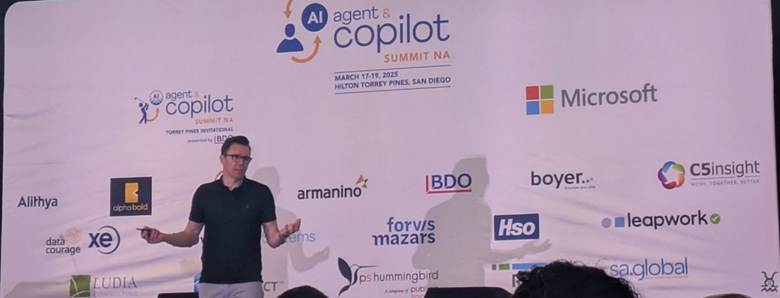
🔹 Keynote: How Agents & Copilots are the Business & Industry Reimagination Machine

Speakers: Bryan Goode, Bob Evans

  • The pace of AI change is accelerating.
  • “Magic moments with AI”—small but powerful experiences where AI enhances human work.
  • Start experimenting now—but be intentional about how you use AI.
  • Consider the Agent-to-Human ratio—AI shouldn’t replace people, but augment them.

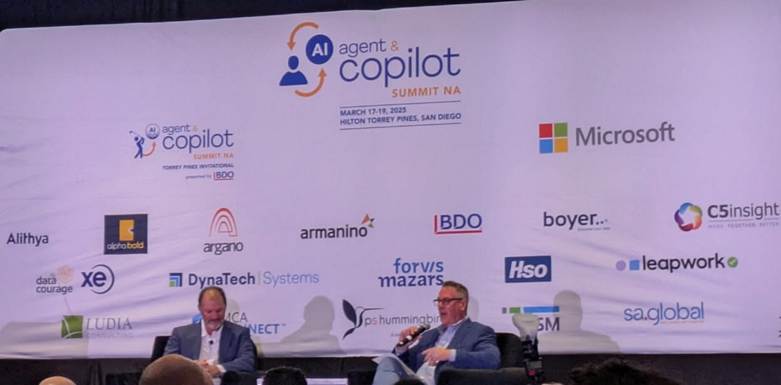
🔹 Keynote Fireside Chat with sa.global CEO Stephen James

  • Challenges in AI adoption—it’s not just about technology, but mindset.
  • The “Hyperautomated Future” is coming.
  • Don’t start with the tool—start with the problem AI needs to solve.
  • Reduce cycle time—AI should make processes faster, not just different.

🔹 Presenting the AI Use Case: How to Speak the Language of the C-Suite and Board of Directors

Speaker: Diane Gardner

  • Know your audience—Executives care about risk, ROI, and business impact.
  • The 10 critical elements of an AI proposal:
    • The Project: Goals, Timeline, Costs, Benefits.
    • Protection: Security, Intellectual Property, Regulatory Risks.
    • The Future: Employee training, maintenance, and ongoing evaluation.
  • “Take a critical pain point and fix it… Show how it may be applied in other ways.”
  • Memorable Quote: “The key to AI success is failing fast.”

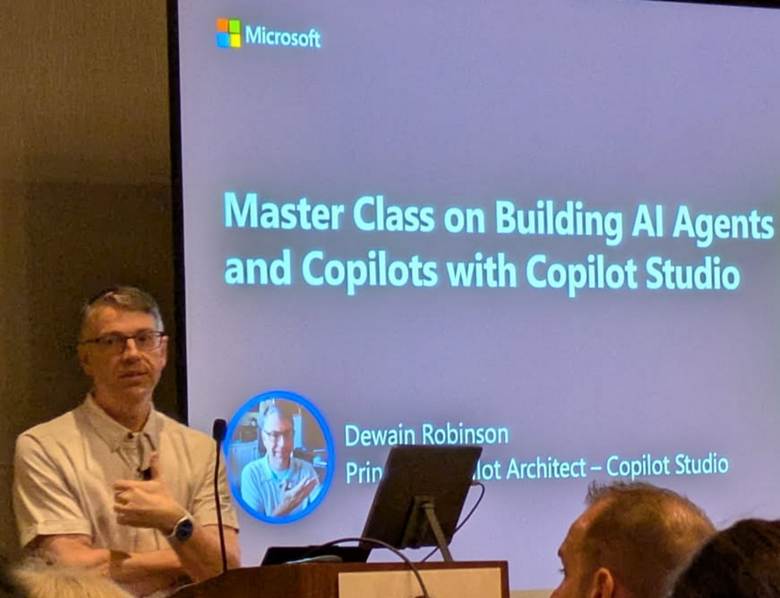
🔹 Better Together: When and How to Build Agents Leveraging Copilot Studio & Azure AI Foundry

Speakers: Prashant G Bhoyar, Dewain Robinson

  • Copilot Studio is a conversational AI platform that enables both low-code and no-code development.
  • Agents range from simple (retrieval-based) to advanced (autonomous decision-making).
  • “Every employee will have a Copilot. Every business process will have an agent.”
  • Demo: Building a custom Copilot agent integrating Azure AI services.

🔹 Artificial Intelligence for Authentic Inclusion

Speaker: Shayna Robinson

  • AI can help neurodivergent employees and individuals with disabilities in the workplace.
  • AI assists in communication, confidence, and accessibility.
  • Employers need to actively engage with and support diverse communities using AI.

🔹 Co-Creating Agents & Copilots: A Case Study with Vixxo & Microsoft Partner

Speakers: Lucas Diaz, Bobby Hunnicutt, Jim McCarthy

  • Lessons learned from AI adoption in a real business setting:
    • AI won’t drive adoption—people will.
    • Turn super-users into AI advocates.
    • Outcomes > Outputs—focus on the business impact, not just AI features.
    • Flexibility, change management, and communication are critical.

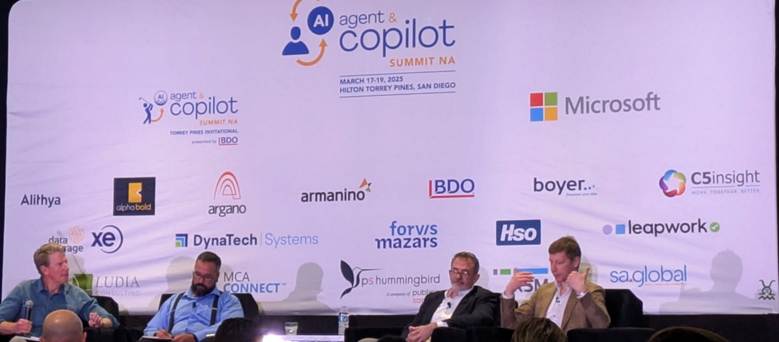
🔹 Fireside Chat: Data Innovation Profile

Speakers: Miyoshi Tokuno, Michael Simms

  • AI success requires clear success criteria—they used the 80/20 rule to aim for 85% accuracy.

Afternoon Masterclasses

Attendees had five tracks to choose from. I actually played mix and match.

  1. Data Modernization with AI
  2. Using Agents & Copilots in D365 Finance & Operations/SCM
  3. Building Agents & Copilots in Copilot Studio & Azure AI Foundry
  4. Using Agents & Copilots in M365 Modern Work
  5. Using Agents & Copilots in Power Platform

🔹 Session 8: Copilot and D365 Finance & Supply Chain

Speaker: Jason Greene

  • Getting Copilot set up and enabled—many features are included but require activation.
  • Three types of Copilot experiences:
    • Sidecar – Free, included in solution, but must be enabled.
    • Embedded – Built into dashboards, interactive.
    • External – AI chat that integrates with enterprise data.
  • Demo: Using Copilot to automate finance and supply chain workflows.

🔹 Session 9: Using Copilot Agents to Chat with Structured & Unstructured Data

Speakers: Mitchell Mathews, Jack Fallon

  • Leveraging Azure AI Search to interact with both structured and unstructured data.
  • Power Automate & AI Builder to extract, parse, and process business data.
  • Key Takeaway: The quality of your data determines AI success.

🔹 Session 10: AI Builder in Action – Smart Contract Automation with AI & Power Platform

Speakers: Jack Fallon, Mitchell Mathews

  • Business Problem: High-volume, manual contract processing was inefficient.
  • Solution: AI Builder extracts, processes, and integrates contract data into Power Automate & Dataverse.
  • Demo: Step-by-step walkthrough of building an AI-powered contract processing workflow.

Closing Keynote: How to Survive AI as Companies & Humans

Speaker: Lambert Hogenhout (United Nations)

  • AI isn’t just changing work—it’s changing identity.
  • The world is on fire with AI change—how will we navigate it?
  • Advice:
    1. Be very aware of everything happening in AI.
    2. Decide what you want to keep and what you want to stop doing.
  • Final Thought from John: “Let’s be intentional with AI.”

Key Takeaways from Day 3

AI adoption is not just about tools—it’s about strategy.

Business leaders need AI fluency to make the right decisions.

Success requires an AI-friendly culture, not just AI tools.

Data is everything—if your AI isn’t performing well, check your data.

The future of AI is about augmentation, not just automation.


💡 Go-Do: Experiment with Copilot in Your Workflow

AI won’t drive adoption—people will. Start small:

  • Identify a process in your business that could benefit from AI augmentation.
  • Enable Copilot features in your existing tools (Microsoft 365, Dynamics, Power Platform).
  • Test it, tweak it, and get feedback from real users.

Dag Drew an Easter egg.


This blog post was written with the assistance of AI.

That’s a wrap for #AIAgentCopilotSummit! What are your biggest AI takeaways? Drop a comment! 🚀

#AIforEveryone #FutureOfWork #Copilot #AITransformation

lovely photo looking out over a hotel pool, with a golf course in the background, and the ocean beyond that
Posted in artificial intelligence | Tagged , , | Leave a comment

Report from AI Agent and Copilot Summit NA – Day 2

I’m back with another day of insights from #AIAgentCopilotSummit! Day 1 was all about career transformation in a post-AI world, but Day 2 shifted focus to something equally compelling: AI’s role in redefining work itself.

Daily Themes:

  1. From Users to Creators – AI isn’t just something we use; it’s something we shape. Everyone can become a builder, creator, or entrepreneur with AI.
  2. Copilots and Agents Are the New Apps – AI-driven agents are not just RPA 2.0; they redefine workflows, augment human decision-making, and break down silos.

Full Agenda Here       


Morning Sessions & Insights

🔹 Keynote: How AI Agents Are Defining the Future

Speaker: Ray Smith (VP of AI Agents, Microsoft)

  • AI transformation is outcome-driven, impacting employee productivity, process efficiency, and product innovation.
  • Copilots function as the UI for AI – they are the bridge between users and intelligent agents.
  • The evolution of AI-driven work:
    • Human-first
    • Human + Agents
    • Agents-first
    • Agents-only (the future?)
  • Memorable quote: “Technology is no longer the limiting factor—creativity and use cases are.”

🔹 Fireside Chat: Microsoft Partner Alithya

Speaker: Jason Wickman

  • “Time to remedy”—the speed at which AI can solve bottlenecks in business is critical.
  • Copilot Academy is emphasizing education first—because understanding personal productivity gains leads to enterprise adoption.

🔹 From Board Members to Staff: How to Set Organizational Priorities for AI Success

Speaker: Kirstie Tiernan

  • AI adoption isn’t just about tools—it’s about strategy, risk, and culture.
  • Three key AI governance challenges: cost, regulatory compliance, and data security.
  • AI literacy is becoming a core skill across all job roles—not just Gen Z.
  • Memorable quote: “AI isn’t just a tool, it’s a mindset.”

🔹 Building AI Literacy

Speakers: Brent Wodicka, Prashant G Bhoyar

  • AI vs. Machine Learning: All ML is AI, but not all AI involves ML.
  • Foundational AI concepts: training data, transformer models, RAG (Retrieval-Augmented Generation).
  • The importance of System 1 & System 2 thinking (fast vs. slow reasoning) when designing AI solutions.

🔹 How Agents & Copilots Are Redefining the Value of Dynamics 365

Speaker: Cecilia Flombaum

  • AI-driven automation is turning Dynamics 365 into a business transformation powerhouse.
  • 10 pre-built AI agents in D365 offer solutions for sales, supply chain, and finance.

🔹 Industry AI Panel: Accelerating Innovation & Streamlining Supply Chains

Speakers: S. David Brown, Tom Gerdes, Kenny Mullican, Tony Uphoff

  • AI is accelerating operational change in manufacturing, finance, and HR.
  • Use cases include automating field procedures, financial reporting, and accounting workflows.
  • Memorable quote: “Start where you are. AI isn’t a future thing—it’s already here.”

🔹 How PriceSmart Executive Leadership Aligns Business and Tech Strategy Around AI

Speakers: Francisco Velasco, David Price, Wayne Sadin


Afternoon Highlights: AI Solution Showcases

Attendees could choose from these showcases:

  1. Al Financial Insights in Dynamics 365 Business Central
  2. How to Automate Copilot Testing
  3. From Hours to Minutes: Real-World Al Wins with Copilot
  4. Get Al Ready: Creating a Copilot Roadmap
  5. Prepare for Al with a Modern Data Platform
  6. Revolutionizing Dynamics 365 with Copilot: Faster, Smarter, More Cost-Effective Implementations

🔹 Session 8: Revolutionizing Dynamics 365 with Copilot

Speakers: Lucas Diaz, Rachel Profitt

  • The Challenge: Traditional Dynamics 365 implementations often suffer from long deployment times and reliance on extensive consultant support.
  • The Goal: Reduce implementation time and shift consultants’ roles from configurators to business enablers.
  • Key Features:
    • Focus on process optimization rather than repeatable configuration tasks.
    • Configuration Copilot simplifies and accelerates deployments.
    • Business Process Excellence provides an end-to-end view of Dynamics 365 processes.
  • Demo: Showcased the role of Copilot in streamlining business processes, reducing redundant configuration efforts, and enhancing implementation efficiency.

Afternoon Highlights: Masterclasses

Attendees had the option to dive deep into AI applications with six different Masterclasses:

  1. AI Data Readiness Masterclass
  2. Building Agents & Copilots in Copilot Studio & Azure AI Foundry Masterclass (Attended—see notes below.)
  3. Responsible AI & Cybersecurity Masterclass
  4. Using Agents & Copilots in D365 Business Central Masterclass
  5. Using Agents & Copilots in M365 Modern Work Masterclass
  6. Using Agents & Copilots in Power Platform Masterclass

Masterclass: Building Agents & Copilots in Copilot Studio & Azure AI Foundry

🔹 Copilot Case Studies: Profiles in Transformation

Speakers: Joel Oleson, Geoff Ables, Kenny Mullican

  • AI-powered Teams Premium with AI notes was a standout case study.
  • Articulating the ROI of AI adoption is key—data governance plays a major role.
  • Memorable quote: “Don’t get stuck. Ready, aim, fire! Or fire, aim, ready! Either way—start.”

🔹 Master Class on Building AI Agents and Copilots with Copilot Studio

Speaker: Dewain Robinson

  • Microsoft Copilot Studio is the Visual Studio for conversational AI development.
  • What’s the difference? Agents are what we build; Copilot is what Microsoft builds.
  • Key Features of Copilot Studio:
    • Topics
    • Knowledge
    • Actions (just went GA yesterday)
    • Analytics
    • Channels
    • Variables
  • Implementation options & connectors expand the use cases.
  • Generative orchestration makes Copilot Studio a conversational agent that adapts dynamically.
  • Hands-on Demos:
    • Flow-based automation with triggers and actions.
    • Integration into Teams Apps and Manage Apps.
    • Component collections—create once, use across multiple applications.
  • New analytics portal for better performance insights.
  • Try it now: aka.ms/trycopilotstudio

🔹Empowering Businesses with AI Agents: Harnessing Microsoft Copilot & Azure AI Foundry

Speakers: Samiullah Khan, Brian Ashbrook

  • Not all AI is equal—there’s a clear distinction between Chatbots, AI Assistants, and AI Agents.
  • Where AI delivers maximum value:
    • Reducing manual data work.
    • Improving visibility across departments.
    • Speeding up decision-making with AI-powered insights.
    • Democratizing expertise—making knowledge more accessible.
  • The AI Implementation Approach:
  • Identify high-value opportunities (target 10-30% ROI potential).
  • Assess & prioritize (focus on data-ready processes).
  • Implement with clear metrics (measure efficiency & strategic impact).
  • Scale & expand (accelerate AI adoption across teams).
  • Use Cases:
    • Coordinated project management.
    • AI-driven talent acquisition.
    • Predictive operations management.
    • Enhanced customer engagement.
  • Business Impact: For every $1 invested in AI, businesses see a $3.70 return.
  • Quick Challenge: Identify one workflow in your company that suffers from manual data work, siloed knowledge, or delayed decisions.

🔹 Empower Your Enterprise: Building an AI Copilot for Operations

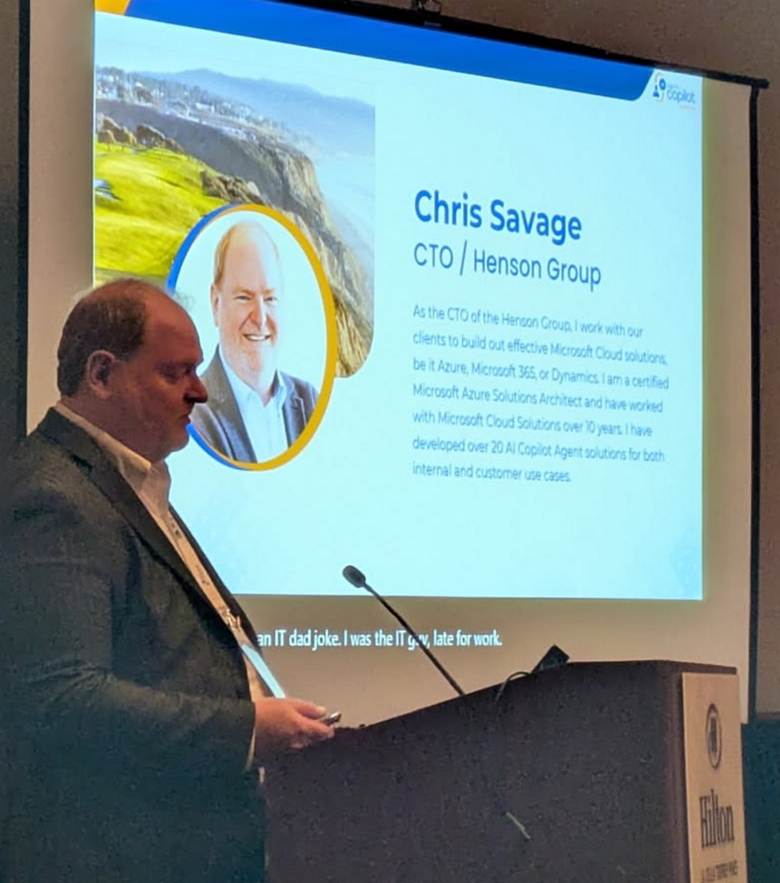
Speaker: Chris Savage

  • Why AI in Business Operations? AI enhances efficiency by automating workflows while keeping humans in control.
  • Steps to Build an AI Copilot in Copilot Studio:
    • Define the key operational needs.
    • Design workflow automation with AI agents.
    • Implement AI-powered decision support.
  • Live Demo: Showcased an AI Copilot optimizing business operations.
  • Best Practices & Considerations:
    • How to integrate AI without disrupting existing processes.
    • Measuring the impact of AI automation.

🔹 Cocktail and Dinner reception

  • Honestly, their definition of “dinner” is not the same as mine. But at least there was booze.
  • Here is where I heard my favorite quote of the day: “Here I am, drinking Prosecco in a wine glass.”

🔹 Fireside Chat with Marshall Toplansky & Bob Evans

Topic: How AI is changing how people learn

  • AI can personalize education at an unprecedented level, but context matters.
  • “Micro-certifications are replacing degrees.” The way people prove expertise is shifting.
  • AI should enhance critical thinking, not replace it.

Key Takeaways from Day 2

AI Agents are the new apps. Instead of asking, “What software do we need?” companies are asking, “What AI agent can solve this?”AI’s value isn’t in automation—it’s in augmentation. The best AI strategies enhance human decision-making, not replace it.Data matters more than ever. If your AI’s results aren’t great, check your data—garbage in, garbage out!AI education is non-negotiable. AI literacy isn’t just for IT anymore; it’s becoming a must-have skill across industries.“Time to value” is key. Successful AI adoption isn’t about launching new tools—it’s about how fast teams see tangible benefits.

Disclosure

AI assisted with this post!

Posted in artificial intelligence | Tagged , , , | Leave a comment

Report from AI Agent and Copilot Summit NA – Day 1

I’m privileged to attend #AIAgentCopilotSummit this year. Last year, I spoke at a different conference, which was an incredible experience, but this time, I get to be a participant and observer. Here’s a recap of Day 1 at the conference.

A map showing a plane's route from the New York City area to Southern California

Monday’s Agenda

Full Agenda Here

  • Golf Invitational – Apparently, my invitation got lost in the mail… or maybe because I’ve never played golf.
  • Registration & Welcome Reception – A chance to connect with industry peers and get oriented for the week ahead.
  • Keynote Fireside Chat: How to Have a Legendary Career in a Post-AI World – A thought-provoking discussion on the future of work and how AI is reshaping career paths.

Key Sessions & Insights

Welcome Reception

A great networking opportunity! It was fascinating to hear what others are working on and how different industries are looking at AI. I spoke with a few end users who were there to learn how they can pivot to AI in their industries. Scott, for example, has me pondering working AI in with Power Platform. What an engaged group of people. This reminds me of the very old days in Dynamics AX conferences. 😊

Keynote Fireside Chat: How to Have a Legendary Career in a Post-AI World

I walked into the keynote expecting the usual career advice. Instead, Christopher Lochhead and Bob Evans threw down a challenge: Will you shape the AI era, or let it shape you?

John Siefert hosted these two speakers in a provocative, engaging discussion.

  • Both speakers pointed out how we’ve been working with change for many years; AI continues us along the same path albeit faster.
  • Bob Evans argued that corporate culture must shift to prepare for AI, just like it did in past revolutions.
  • Christopher Lochhead stirred the room as he seemed to suggest that AI was making startups of all of us. If AI is leveling the playing field, every professional—whether in a corner office or starting out—has a shot at reinvention.
  • How AI is changing the value of knowledge workers.
  • If AI is the great equalizer, what happens to traditional expertise?
  • Key quotes from the Keynote Fireside Chat:
    “I’m glad I’m alive for this.” – The AI revolution is happening now, and we’re part of it.
    “Why not you and why not us?” – The opportunity isn’t reserved for a select few.
    “Our enemy is the status quo.” – The risk isn’t AI. It’s resisting change.
    “We must lift as we climb.” – Help others to learn as you do.

For me, that last quote hit home. That’s what I’ll be doing for the rest of this summit—and beyond.

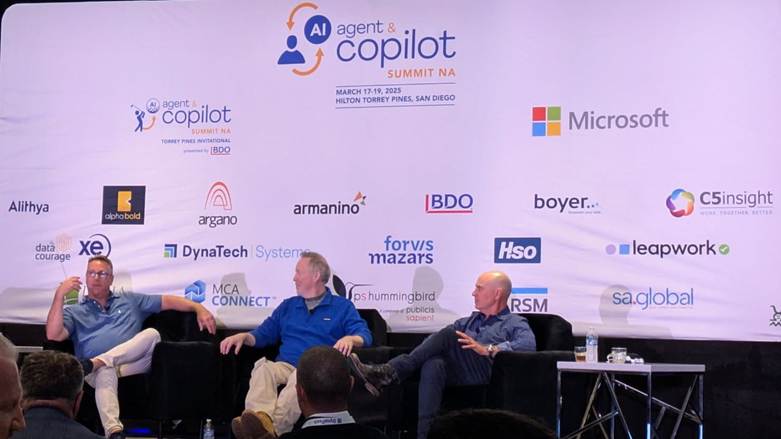
Three men onstage

Takeaways from Day 1

These conversations reinforced some themes I saw. Here are my top three takeaways from Day 1:

  • AI is an enhancement, not a replacement. The most successful professionals will be those who embrace AI as a tool to amplify their work.
  • Lifelong learning is essential. The pace of AI development means we must stay adaptable and continuously build new skills.
  • Networking matters. Conversations with other attendees highlighted just how many use cases for AI are emerging across different industries.

That’s a wrap for Day 1! Stay tuned for more insights as the conference continues.

#AIforEveryone

Disclosure

AI assisted with this post!

Posted in artificial intelligence | Tagged , , , , , | Leave a comment

AI Series 4 Wrap-Up: Practical Use Cases for AI

Getting Comfortable with AI

AI Series 1: Exploring the Power of AI

AI Series 2: AI for Everyone: Unlocking the Potential of Everyday AI Tools

AI Series 3: AI-Powered Job Search: Navigating the Future of Work

Series 4 Wrap-up post

AI Series 4 Wrap-Up: Practical Use Cases for AI

AI is no longer just a futuristic concept—it’s a part of our daily lives in ways we did not imagine a few years ago. In AI Series 4, we stepped beyond theory into hands-on, practical use cases that demonstrated just how much AI can enhance creativity, productivity, and problem-solving. From storytelling to scheduling, AI became not just a tool, but a true assistant.

Like many of you, I’ve experimented with AI—keeping what works, refining what doesn’t, and learning how to make AI a true collaborator. It’s been a journey of discovery, and I hope this series has helped you find new ways to integrate AI into your own life.

What We Covered in This Series

We started with AI Pivot, exploring why this series focused on hands-on use cases rather than AI fundamentals. From there, we delved into diverse, real-life applications of AI:

Your AI Toolkit: A Checklist

To help you put AI to work in your own life, here’s a quick AI toolkit of what we explored:

💡 For Creativity & Writing:

  • 🎨 Microsoft Copilot – Generate creative content, refine ideas, and improve productivity.
  • 🖌 DALL-E & Midjourney – AI-powered image generation for artistic projects.

💡 For Organization & Productivity:

  • 📅 Microsoft 365 Copilot & Notion AI – Smart task management and scheduling.
  • Todoist – AI-enhanced to-do list optimization.

💡 For Learning & Research:

  • 📚 ChatGPT & Khan Academy – AI-powered personalized tutoring.
  • 🏆 Coursera AI Recommender – Find courses tailored to your interests.

💡 For Healthcare & Well-being:

  • 🏥 Mayo Clinic Symptom Checker – AI-assisted medical insights.
  • 💬 AI chat tools – Support for health-related queries.

What’s Next?

AI is here to stay, and its role in everyday life will only continue to grow. As we move forward, I’d love to hear from you:

I’d love to hear from you! What’s been your biggest AI win so far? Whether it’s a new way to save time at work, a creative breakthrough, or an AI tool that’s changed your routine—let’s share insights. Drop a comment below or connect with me on LinkedIn!

Further Resources

This list provides a broad selection of AI resources across creativity, learning, health, work, productivity, and daily life.

A person on a laptop with a cute little robot assisting and an orange cat on the sofa.

Disclosure

AI played a role in shaping this post, but the insights, experiences, and final touches? Those are all mine. AI may assist, but it’s human creativity that brings it to life.


Posted in artificial intelligence, Practical AI applications | Tagged , | Leave a comment

Use case post 10: AI as a travel assistant

AI Series 1: Exploring the Power of AI

AI Series 2: AI for Everyone: Unlocking the Potential of Everyday AI Tools

AI Series 3: AI-Powered Job Search: Navigating the Future of Work

AI Series 4: AI Use case series

Use case post 10: AI as a travel assistant

Introduction

Why do you work? For many, the answer is simple: travel. Exploring new places, tasting unfamiliar foods, and immersing in different cultures—it’s the ultimate reward. My grandmother proudly visited 37 of the 50 United States, a feat that inspires me to continue my own travel journey. While I haven’t matched her dedication, I have my own list of destinations to check off.

But here’s the challenge—how do you plan an amazing trip when you have limited time and don’t know where to start? Traditionally, I’ve relied on travel guides (shoutout to Rick Steves!) and tourism websites. But what if AI could step in as a personal travel assistant?

Figure 1 Amsterdam Canals, Marcelo Campi, CC BY-SA 3.0 <https://creativecommons.org/licenses/by-sa/3.0&gt;, via Wikimedia Commons

Discussion: Can AI Plan a Great Trip?

AI-driven travel planning is gaining momentum. In 2023, The New York Times tested an AI travel advisor, and the results were mixed (see In Milan, Putting an A.I. Travel Adviser to the Test), and again in 2024 (My First Trip to Norway, With A.I. as a Guide). While AI suggested some solid itinerary ideas, it struggled with real-time information and lacked personal insight.

Now, in 2025, has AI improved? Let’s put it to the test.

The AI Travel Planning Trial: 7 Days in Amsterdam

I’m eyeing Amsterdam for an upcoming trip. Let’s see how AI handles itinerary planning under specific conditions.

Challenges: Can AI Overcome These Hurdles?

  1. Local Expertise: AI can generate top-rated lists, but does it grasp the nuances of hidden gems?
  2. Cultural Sensitivity: Will it suggest meaningful experiences or just tourist traps?
  3. Real-Time Updates: AI models rely on existing data—can they adapt to last-minute changes or closures?
  4. Personalization: Does AI take preferences into account, or is it just a generic trip generator?

My prompt:

You are an expert travel guide.

I plan to visit Amsterdam for the first time. Please plan a realistic itinerary for me

  • Timing: first week of May
  • Duration: 7 days
  • Style: full-service hotels
  • Activities: Must-see attractions, food experiences, moderate physical activity (no excessive stairs/climbing), hidden gems
  • Special interests: art and history

The results:

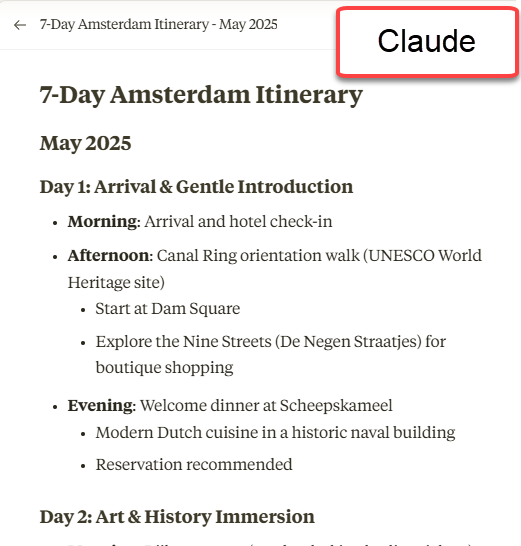
  • Claude: Claude provided me with a terrific itinerary. It wasn’t overly booked, but had items for each morning, afternoon, and evening. It kept to my preferences extremely well. When it recommended a cruise, it specified a recommended company. It mentioned when reservations were recommended and the best time of day to visit places. At the end it gave several additional tips, including weather information. Rating: A.
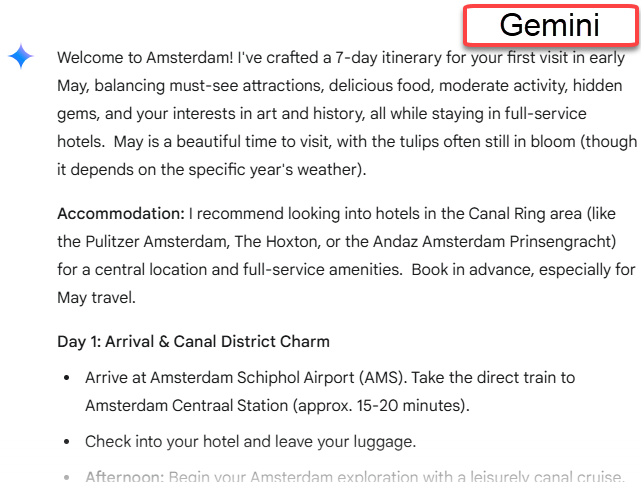
  • Gemini: Gemini also did a very good job, also breaking the days down into morning, afternoon, and evening, but adding lunch. At the end, it touched on my requests of food experiences, hidden gems, and added travel notes (languages, transportation, etc.) Rating: A-.
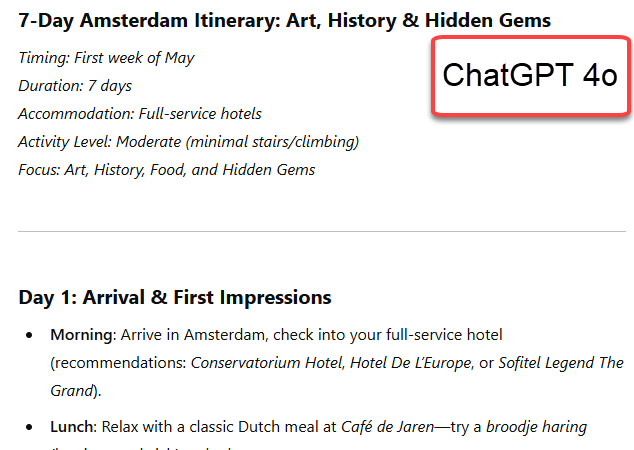
  • ChatGPT 4o: Did a similar daily breakdown to the other models. The interesting thing was that it added a day trip out of town, offering options of Utrecht and The Hague. ChatGPT also offered me two different responses and asked which I prefer. I chose the first, for more details, although the second had a map, which was very nice. Rating: A-.
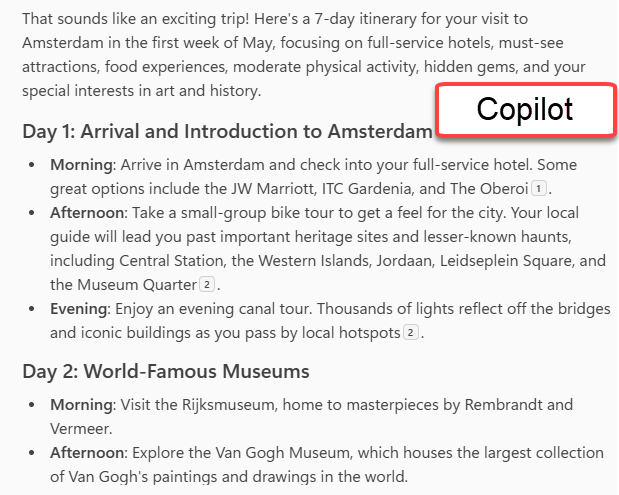
  • Copilot: Copilot had some terrific ideas of what to do, but few recommendations. It felt a little bit terse. It added time for souvenir shopping at local markets, which was cool! Though its recommendations all seemed solid, I would say it didn’t have the bonus adds that the others did. Rating: B+.

Caveat: I haven’t been to Amsterdam, so I don’t know how valid the recommendations are, or if the recommended places are closed, for example.

Summary: Only Gemini and ChatGPT incorporated May into the itinerary by mentioning gardens in bloom. Claude did mention May weather and Copilot’s itinerary seemed month-agnostic. They all had themes for each day, which was fun. All of them missed the fact that May 5 is a holiday (Liberation Day).

In the future, I would ask for more info including distances, costs, maps, and perhaps a checklist of all the reservations I’d need to make ahead of time.

Although I’d be happy with any of them for an actual trip, Claude edged the others out this time.

Hands-On Challenge: Try AI for Your Own Travel Plans

Want to see how AI handles your next trip? Here’s your challenge:

  1. Use ChatGPT, Google Bard Gemini, or a dedicated AI trip planner (like GuideGeek or Tripnotes).
  2. Enter your travel details (destination, length of stay, preferences).
  3. Compare results to traditional guides (Lonely Planet, TripAdvisor, etc.).
  4. Adjust the itinerary based on what AI suggests—does it get your travel style right?

Share your experience! What worked? What fell flat? Let’s see if AI is ready to take over travel planning.

Final Thoughts: AI as a Co-Pilot, Not the Captain

AI travel assistants are great for inspiration and logistics, but human judgment is still key. Combining AI recommendations with personal research might just be the best approach.

Further Resources

Some sample outputs:

Disclosure

This post was created with AI assistance and refined with my insights. I take responsibility for all content and personalization.

Posted in artificial intelligence, Practical AI applications | Tagged , , , , | 3 Comments

Use case post 9: Copilot as my scheduling tool

AI Series 1: Exploring the Power of AI

AI Series 2: AI for Everyone: Unlocking the Potential of Everyday AI Tools

AI Series 3: AI-Powered Job Search: Navigating the Future of Work

AI Series 4: AI Use case series

Use case post 9: Copilot as my scheduling tool

Introduction

Like many of you, my daily task list is never-ending. I track everything in OneNote, and that usually works—until I realize I’ve forgotten something important. My system consists of a table for recurring tasks and a list for one-off items, like reviewing documents or catching up on industry calls.

It looks something like this:

Task Table:

TaskMondayTuesdayWednesdayThursdayFriday
Finance course
Developer course
Blog work
AI Planning v-team
Learning
Social media posting

One-off Task List:

  • Catch up on 2/4/2025 FastTrack Solution Architect Community Call
  • Review Microsoft Learn contributor guide
  • Research available market researchers
  • Write a whitepaper or knowledge base article on newsletters
  • Draft a Medium article

Discussion

Budget cuts are forcing us all to do more with less. My workload isn’t getting any lighter, and I need a system that helps me stay on top of everything. That’s where Copilot comes in.

Each morning, I ask Copilot to build my schedule. My prompt usually looks like this:

Please schedule my day from 9:00 AM – 5:30 PM.

Allow for these meetings:

  • 10:00 – 10:30 AM: 1:1 with my manager
  • 2:30 – 3:00 PM: Mentoring meeting
  • 4:30 – 5:00 PM: People v-team meeting

Here are my tasks (they may not all fit):

  • Finance course
  • Developer course
  • Blog work
  • AI Planning v-team
  • Learning
  • Social media posting
  • Catch up on 2/4/2025 FastTrack Solution Architect Community Call
  • Review Microsoft Learn contributor guide
  • Research available market researchers
  • Write a whitepaper or knowledge base article on newsletters
  • Draft a Medium article

Order the schedule by time. Prioritize tasks if needed.”

Copilot quickly creates a structured schedule—and even remembers to add a lunch break (which I often forget!). Somehow, it also knows my core job responsibilities and ensures they get adequate time. If something doesn’t fit quite right, I can make adjustments, but having a well-structured plan in front of me keeps me moving forward.

Challenges: Put AI to the Test!

How can Copilot help you manage your workload? Try it out! The responses you get will differ depending on whether you’re using the Work or Web versions:

  • Work version: Pulls in relevant work data, including emails and documents. It can even help prep for meetings by referencing recent conversations with my manager.
  • Web version: More generalized, focusing on common scheduling patterns and publicly available data.

Test both and see how they compare!

Why This Matters

I want to explore new learning opportunities—maybe even take a Python course—but first, I need to ensure I’m meeting my core responsibilities. Copilot helps me balance professional development with daily work, making sure I don’t drop the ball on critical tasks.

Further Resources

Disclosure

This post was created with AI assistance and refined with my insights. I take responsibility for all content and personalization.

Posted in artificial intelligence, Practical AI applications | 1 Comment

Post 8: The Future of AI

AI Series 1: Exploring the Power of AI

AI Series 2: AI for Everyone: Unlocking the Potential of Everyday AI Tools

AI Series 3: AI-Powered Job Search: Navigating the Future of Work

AI Series 4: AI Use case series

Post 8: The Future of AI


The Future of AI: What’s Coming Next?

AI Predictions: Where Are We Headed?

You’ve tasted a bit of AI, and now you’re hooked. But what’s next? Instead of guessing, why not let AI predict its own future?

What AI Thinks About Its Future

AI is great at analyzing trends, so I asked three AI models the same question:
What AI breakthroughs can we expect in 2025?

Microsoft Copilot’s Forecast:

  • General AI: Progress toward AI that can think more like humans.
  • Healthcare: Faster, more accurate disease detection.
  • Autonomous Systems: Smarter self-driving cars and drones.
  • AI Agents: AI-powered assistants handling complex tasks.
  • Speech Processing: Better real-time transcription and understanding.
  • Ethical AI: Increased focus on responsible AI use.
  • National Security: AI influencing global politics and security.

Claude’s Take:

Claude declined to predict specific breakthroughs but emphasized:

  • Foundation model capabilities & prompt engineering
  • AI-assisted development
  • Multimodal AI
  • AI safety and ethics
  • Domain-specific AI applications

Gemini’s Input:

Gemini split predictions into two lists:

  1. Breakthroughs: Multimodal AI, AI agents, and DeepSeek’s AI model.
  2. Learning Areas: AI & machine learning, data science, software engineering, and domain expertise.

What Should You Learn?

To keep up with these changes, AI suggests learning:

  • Machine Learning & Deep Learning (Neural networks, TensorFlow, PyTorch)
  • Data Science (Python, R, SQL, data visualization)
  • Ethics in AI (Bias, fairness, responsible AI practices)
  • Natural Language Processing (NLP) (Text analysis, sentiment detection)
  • Computer Vision (Facial recognition, image analysis)
  • Autonomous Systems (Robotics, real-time processing)
  • AI in Healthcare (Medical imaging, diagnostics)
  • Cloud Computing (AWS, Azure, Google Cloud)
  • Domain Expertise (Industry-specific AI applications, like AI in Dynamics 365)

Challenges: Put AI to the Test!

  1. Ask AI for 2025 Predictions: Choose an AI tool (like Copilot or Gemini) and ask it what AI developments will happen this year. Save the responses and set a reminder for December to check its accuracy.
  2. Plan Your AI Learning Path: Select one AI area you’re interested in and ask an AI assistant for free resources. For example, if you want to explore AI ethics, ask for online courses and book recommendations.

Why This Matters

AI isn’t a crystal ball, but it offers an insightful way to explore possibilities. By engaging with these predictions and crafting a learning plan, you can stay ahead of AI’s rapid growth.

Further Resources

A Romani woman looking into a crystal ball

Disclosure

This post was created with AI assistance and refined with my insights. I take responsibility for all content and personalization.

Posted in artificial intelligence, Practical AI applications | Tagged , | 1 Comment

Advocate for yourself with your doctor

AI Series 1: Exploring the Power of AI

AI Series 2: AI for Everyone: Unlocking the Potential of Everyday AI Tools

AI Series 3: AI-Powered Job Search: Navigating the Future of Work

AI Series 4: AI Use case series

     Post 1: How AI Can Spark Creativity: My Unexpected Journey (to the 1700s) with Microsoft Copilot

     Post 2: Crafting Compelling Business Cases: How AI Becomes Your Strategic Communication Partner

     Post 3: Accomplishments at work – with a little AI magic

     Post 4: Family Gift Ideas with AI

     Post 5: Managing your to-do list

     Post 6: Personalize your learning experience with AI

Post 7: Advocate for yourself with your doctor


Blog Post: Advocate for Yourself with Your Doctor

Self-Advocacy and the Best Care

Introduction: Navigating Uncertainty
You’ve just been handed a diagnosis—or maybe a loved one has. Your mind races, questions pile up, and clarity feels out of reach. Sound familiar? It’s not just you. Medical conversations are overwhelming, especially when emotions are running high.

In this post, let’s explore how AI can be your trusty companion in navigating these uncharted waters. It won’t replace your doctor, but it can help you feel more confident, informed, and ready to advocate for yourself.


Disclaimer:
AI tools are intended to provide information and help you better understand medical terms, conditions, and potential questions to ask your doctor. They are not a substitute for professional medical advice, diagnosis, or treatment. Always consult your healthcare provider for recommendations and decisions about your health.

tl;dr: AI is for information and doctors are for recommendations!


How AI Can Support Your Health Journey

Making Sense of the Jargon
AI tools like ChatGPT can help you break down complex medical terms and concepts. Instead of Googling endlessly and feeling more confused, consider these prompts:

  • “What does [specific medical term] mean?”
  • “If I’ve been diagnosed with [condition], what questions should I ask my doctor?”
  • “Are there studies supporting [treatment option]?”

Why It’s a Game-Changer
Here’s what AI brings to the table:

  • Information at Your Fingertips: AI pulls insights from across the web, offering a broader perspective.
  • Unbiased and Calm Support: It’s like having a dispassionate friend who won’t panic alongside you.
  • Available Anytime: Questions often pop up at odd hours, and AI is there whenever you need it.
  • Infinite Patience: Ask the same question five ways, and it will patiently answer every time.

Imagine this scenario: you’re nervous about an upcoming doctor’s appointment. You type, “What should I ask my oncologist about stage 2 breast cancer?” The AI suggests questions about treatment options, potential side effects, and lifestyle adjustments, helping you enter the conversation prepared and confident.


Challenges: Put AI to the Test

Want to try AI as your health advocate? Here are two exercises to get you started:

  1. Understanding Medical Jargon
    • Prompt: “Explain what [specific medical condition or term] means in simple terms.”
    • Goal: Break complex medical language into digestible, clear information.
  2. Preparing for a Doctor’s Visit
    • Prompt: “What should I ask my doctor about [diagnosis/treatment]?”
    • Goal: Get a tailored list of questions to ensure a productive discussion.

Both challenges are free to try using tools like ChatGPT or Bing AI. Remember, you can ask follow-up questions until you feel confident.


Summary: Let AI Join Your Village

When life throws you a curveball, building your support system is essential. AI can be a part of that system—guiding you to the right questions, offering clarity, and giving you the confidence to advocate for yourself. Use it wisely, and always lean on your medical professionals for the final say.


Further Resources

  • Mayo Clinic Symptom Checker: Mayo Clinic
  • National Library of Medicine: PubMed
  • AI Chat Tools: Try ChatGPT (free version available)

A doctor speaking with a person

Disclosure:
This post was created with the assistance of AI. I reviewed and personalized the content to reflect my voice and expertise.

Posted in artificial intelligence, Practical AI applications | Tagged , , | 1 Comment

Personalize your learning experience with AI

AI Series 1: Exploring the Power of AI

AI Series 2: AI for Everyone: Unlocking the Potential of Everyday AI Tools

AI Series 3: AI-Powered Job Search: Navigating the Future of Work

AI Series 4: AI Use case series

     Post 1: How AI Can Spark Creativity: My Unexpected Journey (to the 1700s) with Microsoft Copilot

     Post 2: Crafting Compelling Business Cases: How AI Becomes Your Strategic Communication Partner

     Post 3: Accomplishments at work – with a little AI magic

     Post 4: Family Gift Ideas with AI

     Post 5: Managing your to-do list

Post 6: Personalize your learning experience

Personalize Your Learning Experience with AI

Introduction: The Needs of the Many

Have you ever tried to learn something online, only to find yourself frustrated by resources that are either too basic or assume you’re an expert? Whether you’re mastering a new language, picking up coding, or brushing up on history, the struggle to find the right materials is real. What if you had an AI-powered tutor that could adapt to your unique learning style, pace, and goals?

In this post, we’ll explore how AI can be your ultimate learning companion, tailoring resources and strategies to fit your needs perfectly. Let’s see how it works, why it’s a game-changer, and how you can try it today.


How It Works: Three Steps to Smarter Learning

AI tools like ChatGPT, Duolingo, and Khan Academy’s AI tutor can transform the way you learn. Here’s how you can personalize your educational journey:

  1. Set Clear Goals: AI thrives on clarity. Start by specifying what you want to learn. For example:
    • “I want to learn Python for data analysis.”
    • “Help me understand the causes of World War II.”
  2. Interact with the AI: Use prompts to shape your learning experience. A sample prompt might be:
    • “Explain the basics of Python lists with examples I can try.”
    • “Summarize the key events leading to World War II in a way a high school student can understand.”
  3. Iterate and Adjust: As you progress, refine your questions and focus areas. Ask for quizzes, real-world applications, or even simplified explanations when needed. The more feedback you provide, the better the AI tailors the experience.

Why It’s a Game-Changer

AI brings several benefits to the table:

  • Customized Pacing: AI adjusts to your speed, ensuring you’re neither overwhelmed nor bored.
  • Targeted Resources: Receive recommendations suited to your level and interests.
  • Instant Feedback: Practice problems and quizzes come with immediate corrections and explanations.
  • 24/7 Availability: No matter when inspiration strikes, your AI tutor is ready.

Challenge: Test the AI

Ready to see AI in action? Here are two challenges to get started:

  1. Skill Building with ChatGPT:
    • Prompt: “Teach me the basics of photo editing in Photoshop. Include beginner-level tutorials and simple exercises.”
    • Goal: Learn step-by-step and ask follow-up questions for clarity.
  2. Self-Assessment with Khan Academy’s AI Tutor:
    • Visit the platform and select a subject (e.g., algebra, biology).
    • Complete a practice quiz and explore personalized recommendations based on your results.

Both exercises are free and demonstrate how AI adapts to your learning journey.


Summary: Smarter Learning for Everyone

Personalized learning isn’t just a buzzword; it’s a practical way to achieve your goals efficiently and enjoyably. By setting clear objectives, engaging actively with AI, and iterating based on feedback, you can transform how you acquire knowledge. Why settle for generic lessons when you can have a tutor tailored to you?


Your Turn: Try It Today

Choose a topic you’ve always wanted to learn. Use an AI tool to craft a study plan or answer specific questions. Share your experience—what worked, what didn’t, and how it could improve!


Further Resources

  • Duolingo: AI-driven language learning.
  • Khan Academy: Personalized tutoring for various subjects.
  • ChatGPT: Ask tailored questions on almost any topic.
  • Coursera (paid): AI-enhanced course recommendations based on your interests.

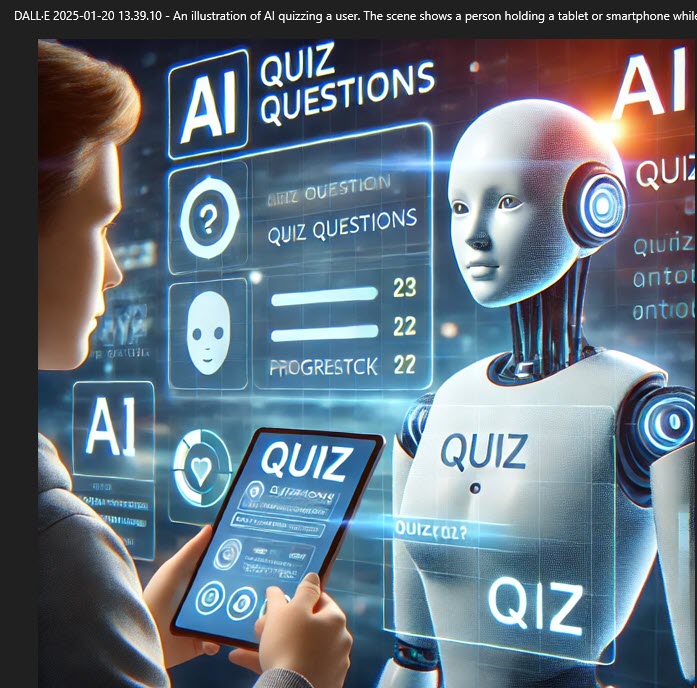
A robot giving a person a quiz

Disclosure

This blog post was created with AI assistance. I’ve reviewed and edited it to reflect my voice and experience, ensuring accuracy and reliability.

Posted in artificial intelligence, Practical AI applications | Tagged , , | 2 Comments

Managing your to-do list

AI Series 1: Exploring the Power of AI

AI Series 2: AI for Everyone: Unlocking the Potential of Everyday AI Tools

AI Series 3: AI-Powered Job Search: Navigating the Future of Work

AI Series 4: AI Use case series

     Post 1: How AI Can Spark Creativity: My Unexpected Journey (to the 1700s) with Microsoft Copilot

     Post 2: Crafting Compelling Business Cases: How AI Becomes Your Strategic Communication Partner

     Post 3: Accomplishments at work – with a little AI magic

     Post 4: Family Gift Ideas with AI

Post 5: Managing your to-do list

Managing Your To-Do List with AI: From Tasks to Daily Plans

Introduction: The Chaos of To-Dos

Picture this: It’s Monday morning. You’re staring at a list of tasks ranging from quick emails to a detailed project presentation. How do you decide where to start and how much time to spend? That’s where AI comes in.

With a little help from AI, you can sort your tasks, figure out how long each one will take, and create a daily plan that doesn’t leave you overwhelmed by 2 p.m.


How It Works: From Overwhelm to Organized

Here’s a three-step approach to managing your to-do list with AI:

  1. Tell AI What You Need
    Start by giving your AI tool a clear list of tasks. Be specific—mention deadlines or difficulty levels if you know them. For instance:
    • Write a blog draft (2 hours)
    • Review proposal (1 hour)
    • Pick up groceries (30 minutes)
  2. Ask for Time Estimates
    AI tools can organize tasks by effort and even suggest what can be outsourced. For example:

“Here’s my to-do list. Break this into categories (e.g., work, personal), estimate the time for each task, and recommend any that I can delegate.”

  1. Plan Your Day
    Finally, ask the AI to turn your list into a schedule.

“Using my task list and time estimates, create a realistic daily plan. Make sure to include breaks every 90 minutes.”


Why It’s a Game-Changer

AI doesn’t just sort tasks; it also balances them to help you focus. It uses patterns from common planning methods to create schedules that are doable and stress-free. Think of it as your assistant, always one step ahead.

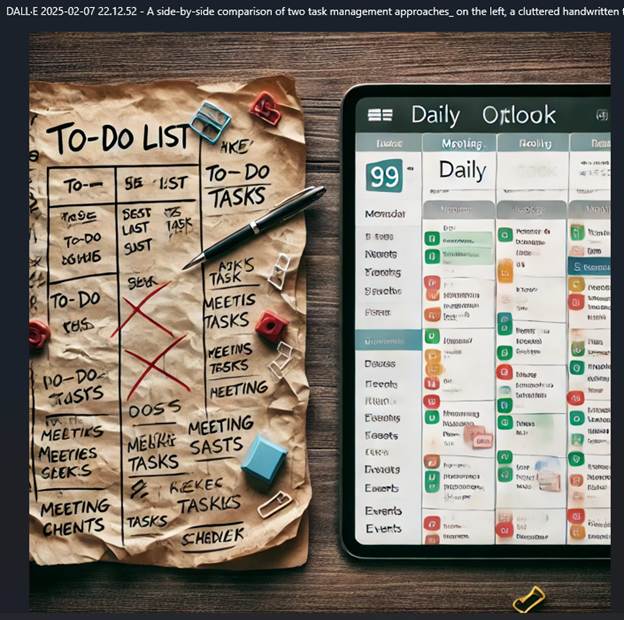
Image of a person checking off a to-do list on his smartphone

Challenge: Test the AI

  1. Simple List
    Try giving an AI tool five small tasks and see how it organizes them.
    Example:

“Email reply (15 minutes), meeting prep (1 hour), exercise (30 minutes). Create a schedule for today.”

  1. Complex Week Planning
    Add some deadlines and priorities to see how AI handles bigger tasks.
    Example:

“Plan my week with these tasks: Submit report (due Wednesday, 3 hours), grocery shopping (30 minutes), team presentation (due Friday, 5 hours).”


Summary: Smarter Task Management

Using AI to manage your tasks makes your day smoother and more productive. From estimating time to building schedules, AI helps you stay on track without burning out.


Your Turn: Try It Today

Pick a free AI tool and start small. Even a simple daily plan can make a big difference. Let AI handle the organizing while you focus on what really matters.


Further Reading

  • Getting Things Done by David Allen
  • Tools: Todoist, Notion, Microsoft To Do
  • Articles: Previous posts in our AI series on productivity tips.

Disclosure

This blog post was created with AI assistance. I’ve reviewed and edited it to reflect my voice and experience, ensuring accuracy and reliability.


Posted in artificial intelligence, Practical AI applications | Tagged , , | 3 Comments